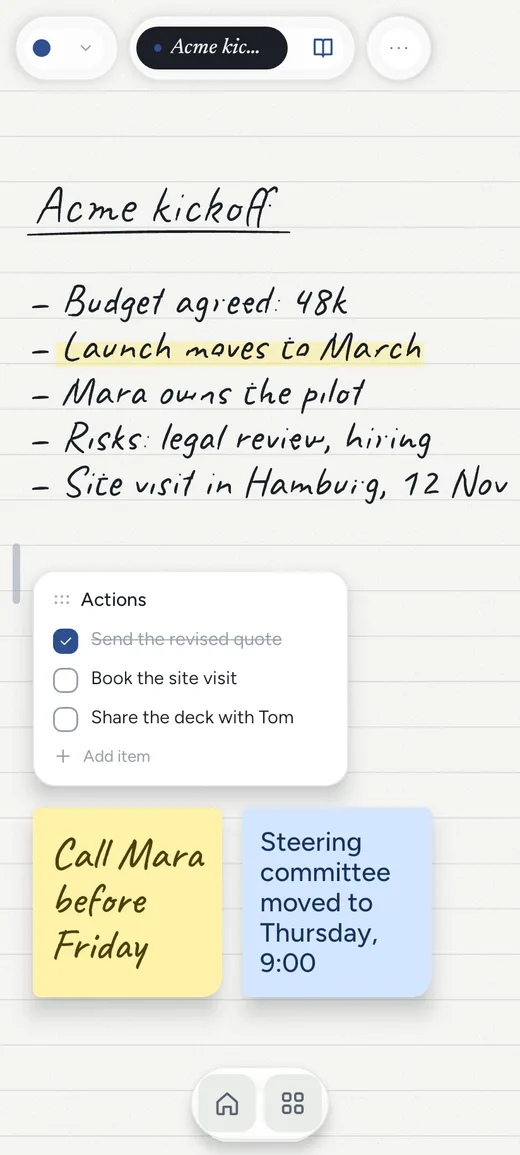
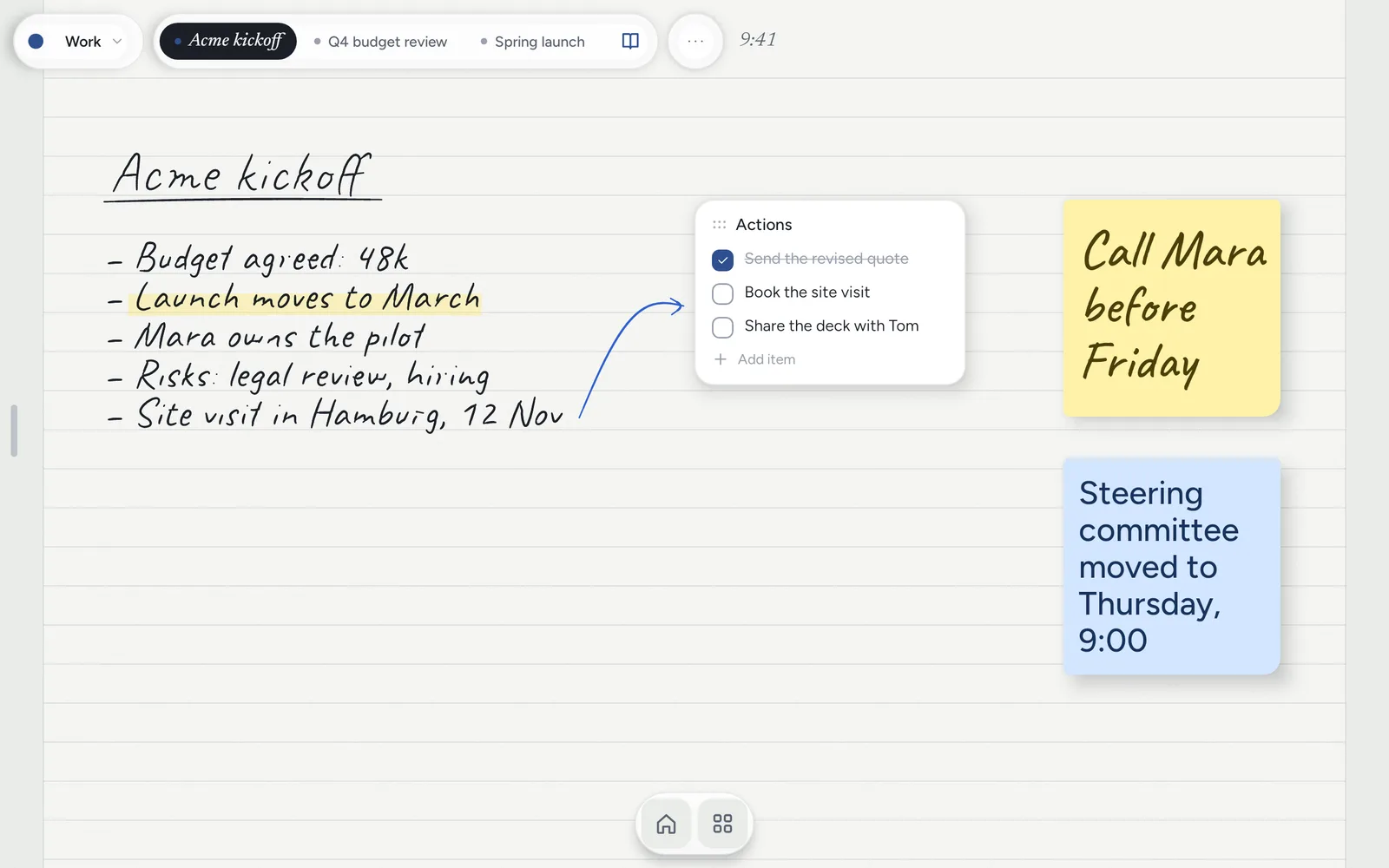
Notes Drawer replaces the grid of icons with a sheet of paper. Pick the tablet up and today’s page is
already there, ready for the pen. Your to-dos, apps and widgets sit on the same paper.
Free · no account · no ads · your notes never leave the tablet.
22 templatesmind mapsto-do listsapps & widgets on the page6 languageslight & dark
The tour
Made for people who think on paper.
reMarkable owners who would rather carry one device than two, and anyone who spends the day in meetings and
wants a blank page in one tap. No grid of icons to get past before you can write something down.
Write on the home screen
Pick it up. The page is already there.
The pen writes wherever there is paper and a finger scrolls. Pressure-sensitive ink, a highlighter and an eraser, and the eraser end of your stylus works too. While the pen is near the screen, your palm is ignored.
Dots, lines, grid or blank paper
Every note as long as you need
Handwriting stays handwriting
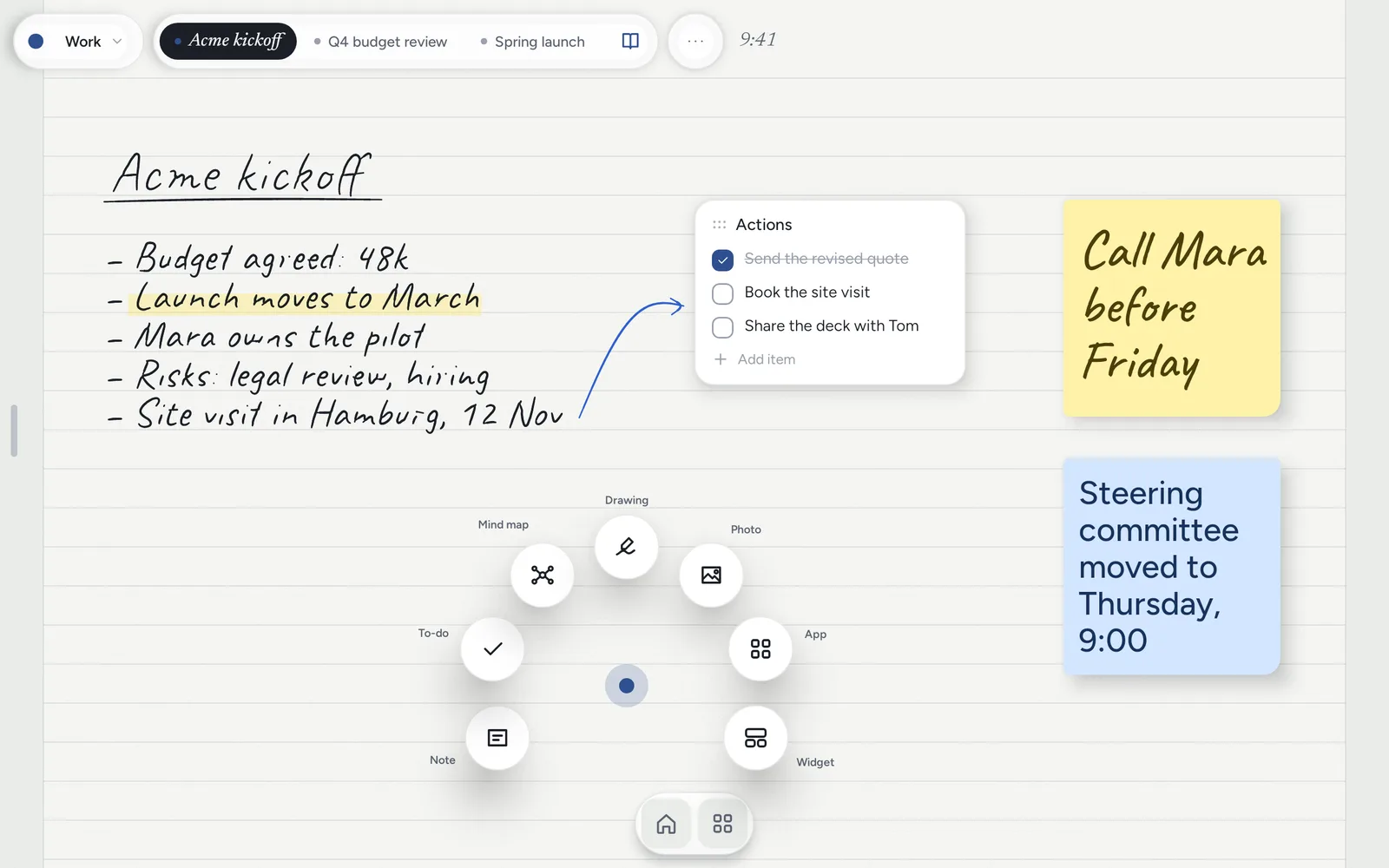
Hold to add
Hold the paper to add anything.
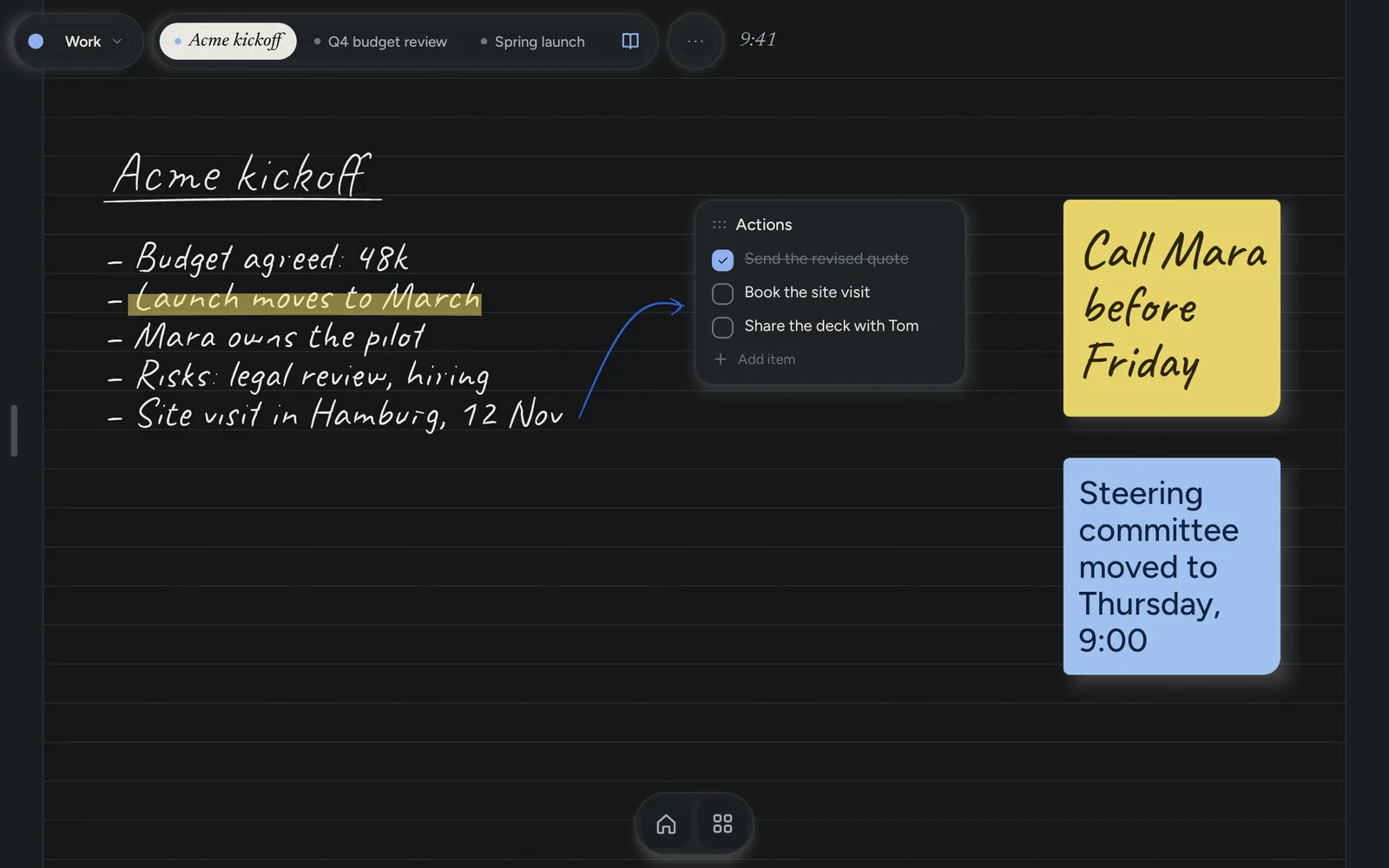
A note card, a to-do list, a mind map, a photo, an app or a widget, placed right where you held. Hold a card to move it. Make a card or a to-do from your own writing with one tap, and the writing stays where it was.
Note cards in five paper colours
To-do lists you tick off
Any Android widget you already use
Templates
22 templates, dated for today.
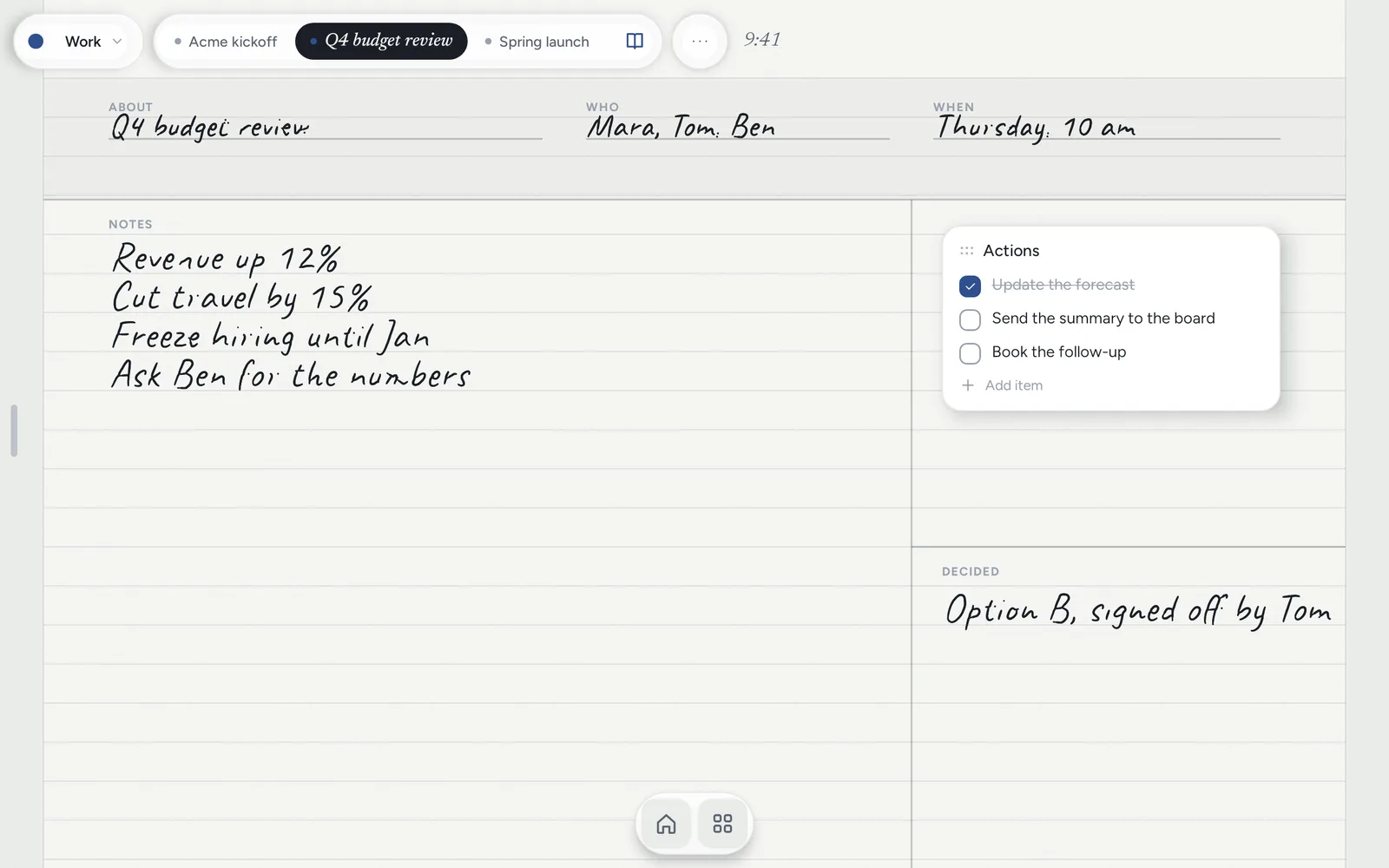
Meeting notes, one-to-ones, client calls, Cornell notes, retrospectives, the day, the week and the month. Each one opens with today’s date already on it, so the first stroke is the note, not the admin.
About · Who · When
Actions and decisions
The day, the week, the month
Mind maps
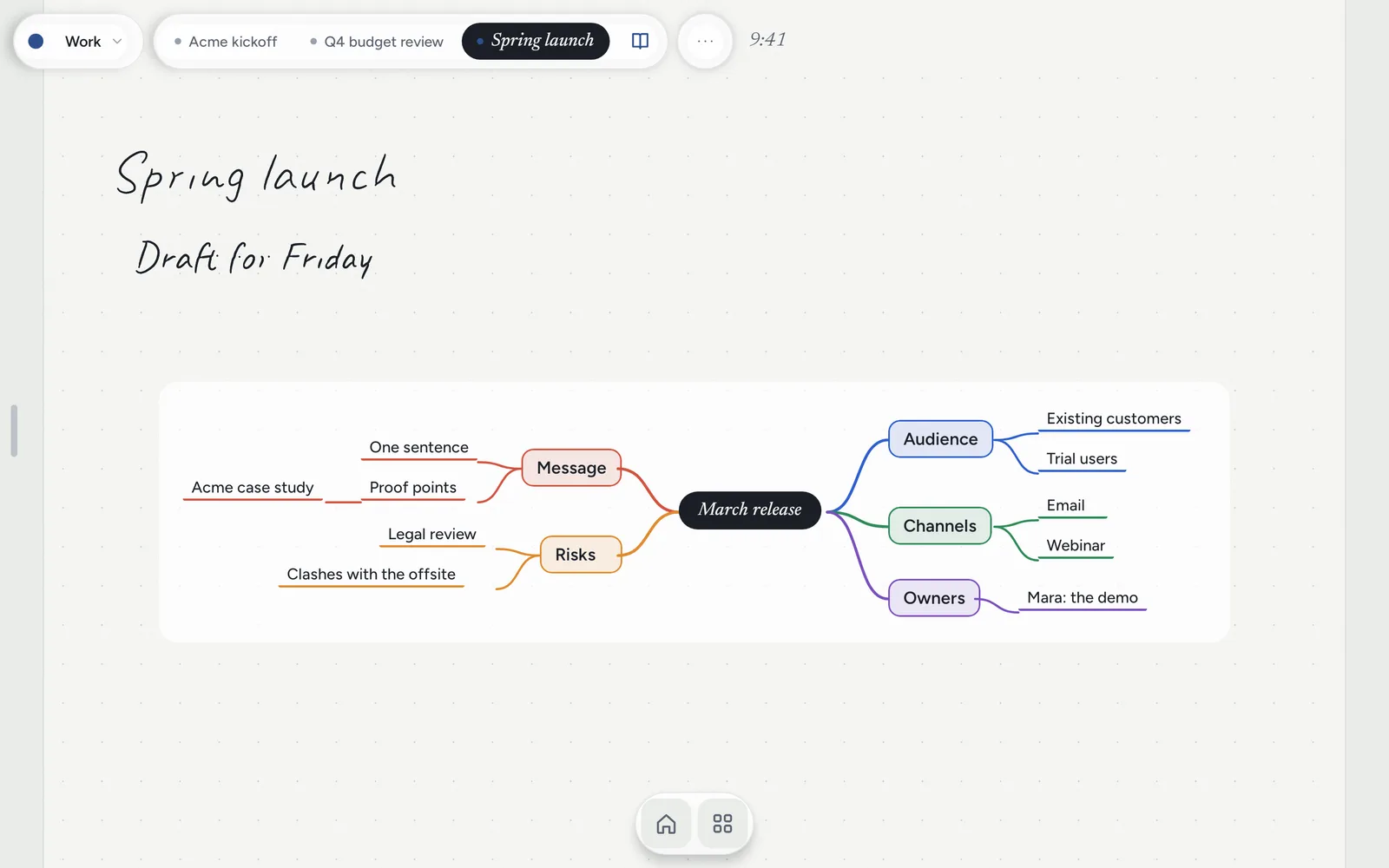
Mind maps that arrange themselves.
Type a topic and press Branch. The map lays itself out as you go, with each branch in its own colour. You never drag a box into place.
Type, branch, keep typing
Lives on the page beside your notes
Keep it in order
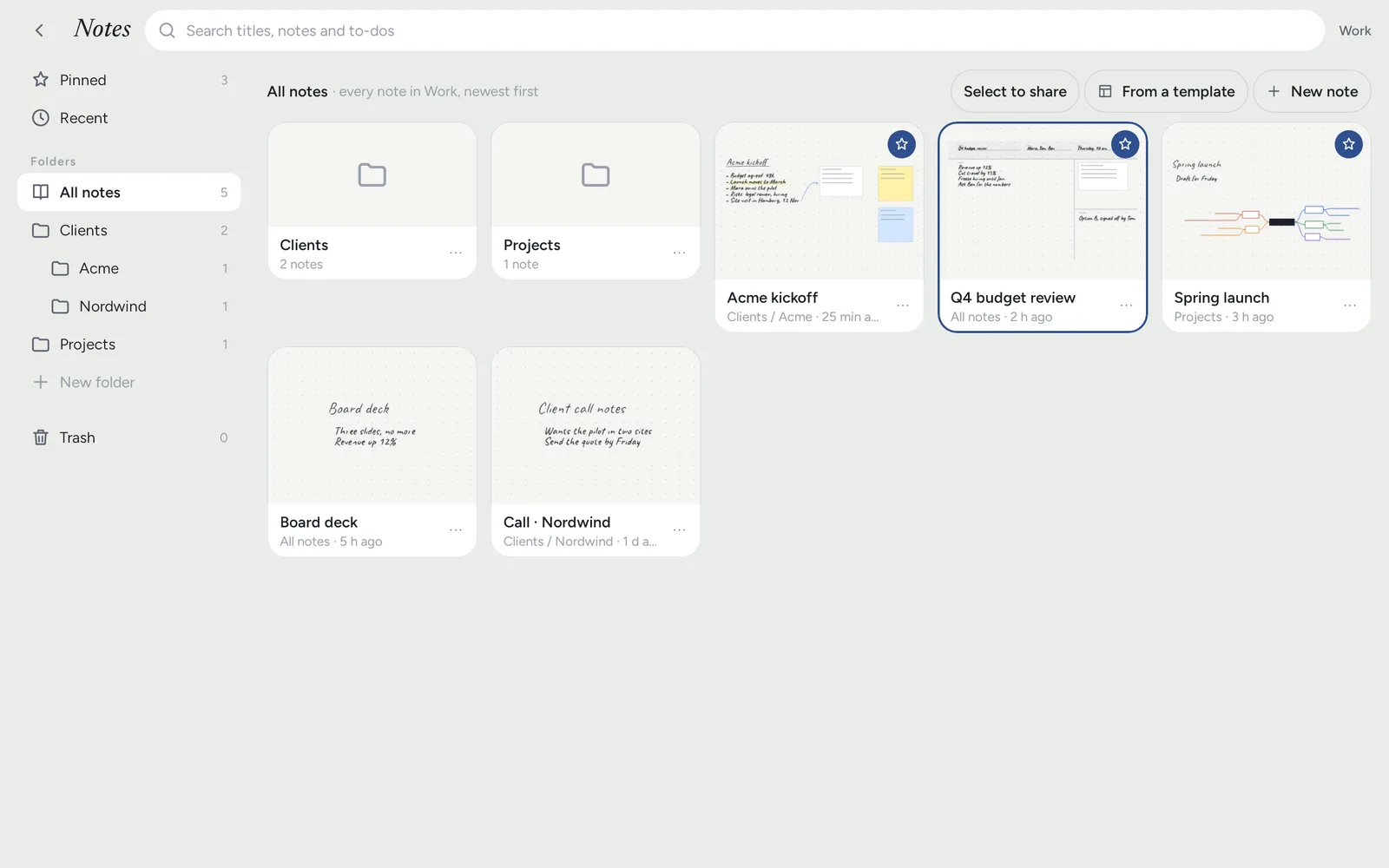
Every client and every meeting, easy to find.
Folders inside folders, pinned notes along the top, recent notes, and search across titles and everything you typed. Separate Work and Home profiles, each with its own notes and paper colour.
Search everything you typed
Work and Home profiles
Share a note as a file
Private by construction
Your notes never leave your tablet.
There is no server to send them to. Read exactly what the app does and does not do in the
Notes Drawer privacy policy.
accountnoneNo sign-in, ever. Open it and write.
ads · analyticsnoneNothing tracks what you write or how you use it.
networkcrash reports onlyIf the app fails, an anonymous crash report is sent so it can be fixed. Nothing else leaves the tablet.
backupsdaily · last 7 keptWritten on the device each day you use it. Save one anywhere you like.
trash30 daysDeleted notes wait in the Trash, and every change can be undone.
Good to know
Paper for day and night.
Runs on
Android 10 or later. Built for tablets and foldables, works on phones.
Pen
Samsung S Pen, USI pens and more. Finger, keyboard and trackpad work too.
Languages
English, French, German, Spanish, Afrikaans and Hindi.
Comfort
Light and dark, four papers, larger text and a left-handed layout.
Foldables
A home spot per screen size, so it opens where you left it, folded or open.
Price
Free. No ads, no in-app purchases.
Free on Google Play
Try it first. Make it home when you’re ready.
Notes Drawer is a home screen app, but you don’t have to switch on day one. Open it like any other app,
write a page or two, and make it your home screen later from Settings.